
Bing Chat Enterprise is the AI Powered chat for work. Bing Chat Enterprise brings the Generative AI to work and also it protects your personal and company data. It is vital for all companies to enable it for the users so that you can leverage Generative AI capabilities in your organization without leaking the personal and company data and also not used for training the LLM’s (Large Language Models).
When you login to your account with Bing chat and if you see that it is not protected then you would know that the Bing chat enterprise is not activated. Make sure to activate it if you are using the Bing chat with customer data as that will be an issue.

Let us see how you can enable this.
- Go to the office admin and make sure you have “Microsoft search in Bing Setting” is enabled.

2. Log into bing.com with your global admin make sure this is not a InPrivate window as it’s not supported.
3. Then go to https://aka.ms/TurnOnBCE to turn on Bing Chat Enterprise.

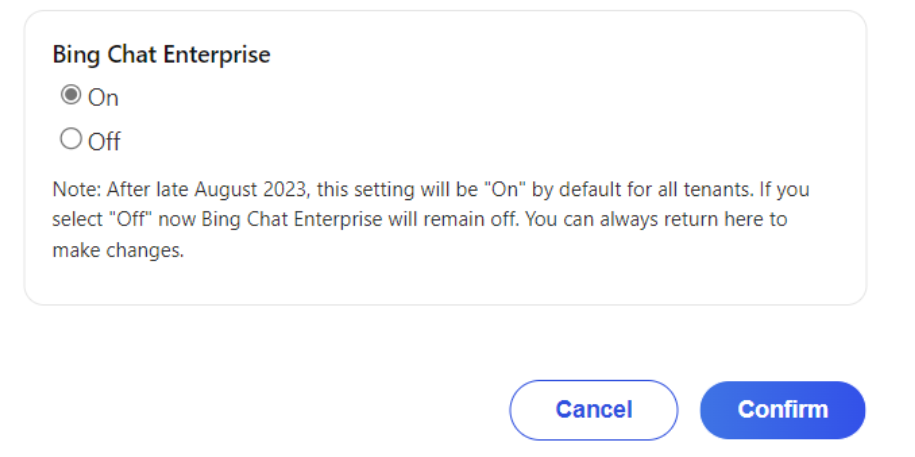
If Your organization lacks the necessary licenses for accessing Bing Chat Enterprise this will notify. Users need at least one of the qualifying licenses assigned to them to enable it.

Once enabled and you login to the Bing you will see that it has enabled Bing Chat Enterprise and this is protected as well as your personal and company data are protected in this chat.

If you want to read more about this go to this link.
Thanks for reading this blog post. Will meet you again with the next post.


