
Power Automate has a fantastic feature that allows you to tag a specific person in a Teams message post. We’ll use the same example we have used in a previous blog to demonstrate how you can tag a user in the Teams with the message it posts.
If you would like to check the previous blog use the below link.
Let us look at a scenario where we can notify the procurement team Teams Channel specific user with @mention in the “Priority PO to action channel” for the vendor 1002 as it is really vital for the procurement team to track the PO’s which are confirmed against this specific vendor account.
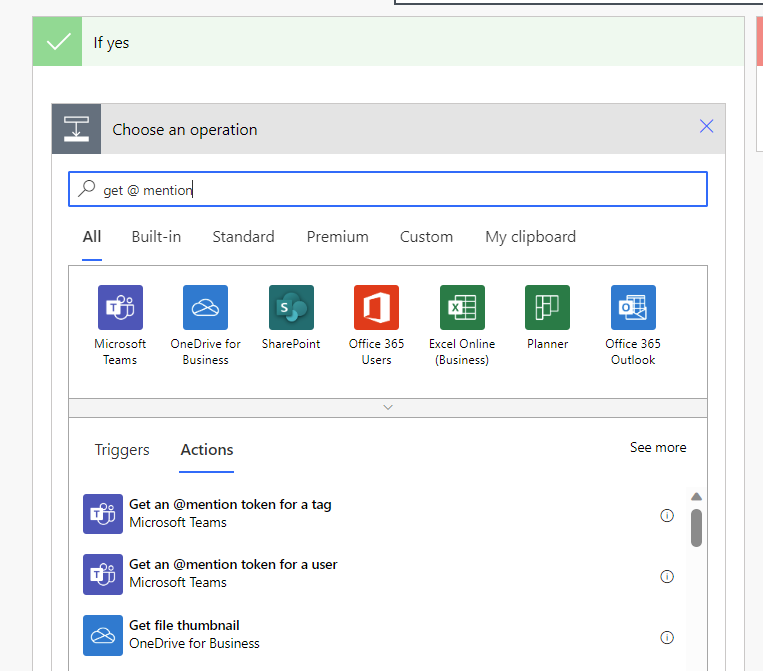
- Go to the flow and select the Get an @mention token for a user option.
2. Enter the user email which needs to get tagged.

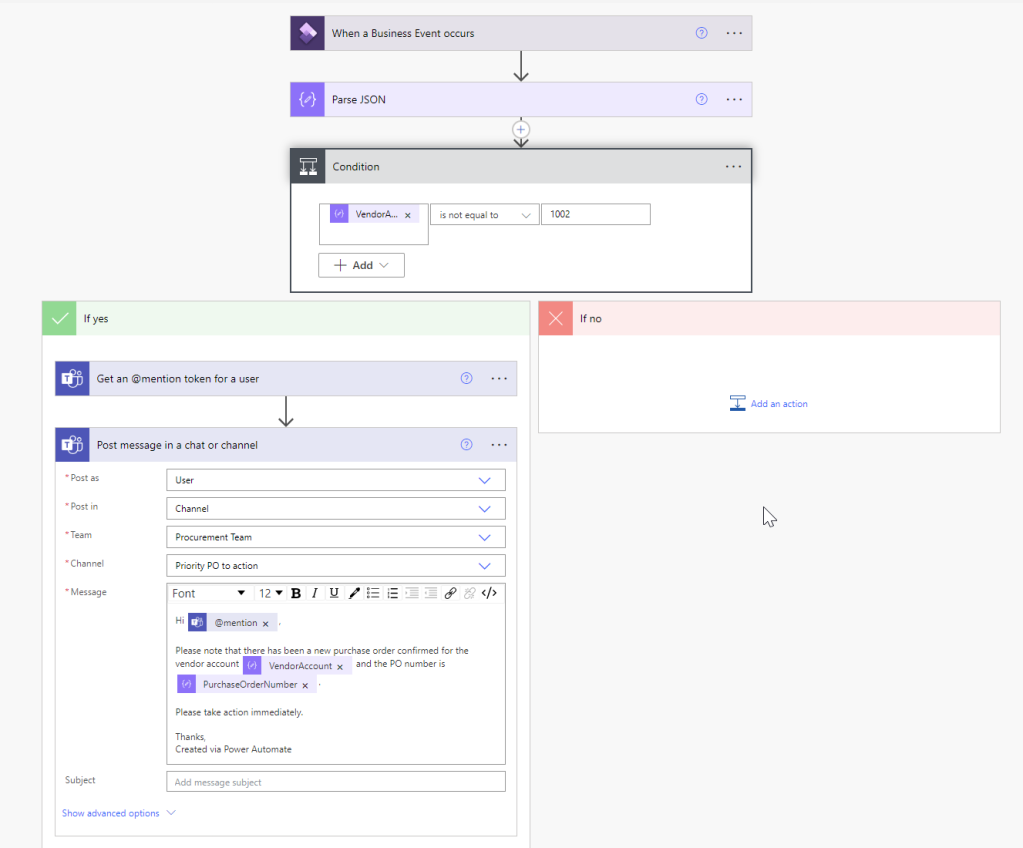
3. Then select the post message in a chat or channel as below and then use the @mention.

Now the overall cloud flow looks as below.
4. Now let’s check this in action.
Similarly to our previous blog we are using business event in D365 FO for PO confirmation to trigger this cloud flow. Create a PO and then confirm.

Cloud flow was successfully triggered as shown below.

5. Now the message in Teams is shown as below.

Thanks for reading this blog post. Will meet you again with the next post.

 d365bits.com
This is great – is there a way to include a deep link to the item in the Teams message body?
LikeLiked by 1 person
Hi Josh I think this is possible to do and I will take this up in another blog post.
LikeLike