
There is a new workspace which uses Generative Artificial intelligence (GAI) and it simplifies summarizing downstream effects of changes to confirmed purchase orders by creating a workspace called “Confirmed purchase orders with changes.” This allows buyers to quickly confirm low-risk changes, free up time for high-risk ones, and communicate with vendors.
Note : This blog post only covers the functionality excluding the GAI. I will cover GAI part later in another blog post.
Let’s have a look at this new feature.
- This is a preview feature and you can go to Feature management and then enable this feature.


2. Once this feature is enabled then you can find new workspace “Confirmed purchase orders with changes” appears in the dashboard.

This got three main categories as given below.
- Purchase order changes with low risk for downstream impact
- Purchase order changes with high risk for downstream impact
- Impacted downstream orders

3. Let’s create a new Purchase Order for A0001 and qty is 10 and Delivery Date is 9/4/2023.
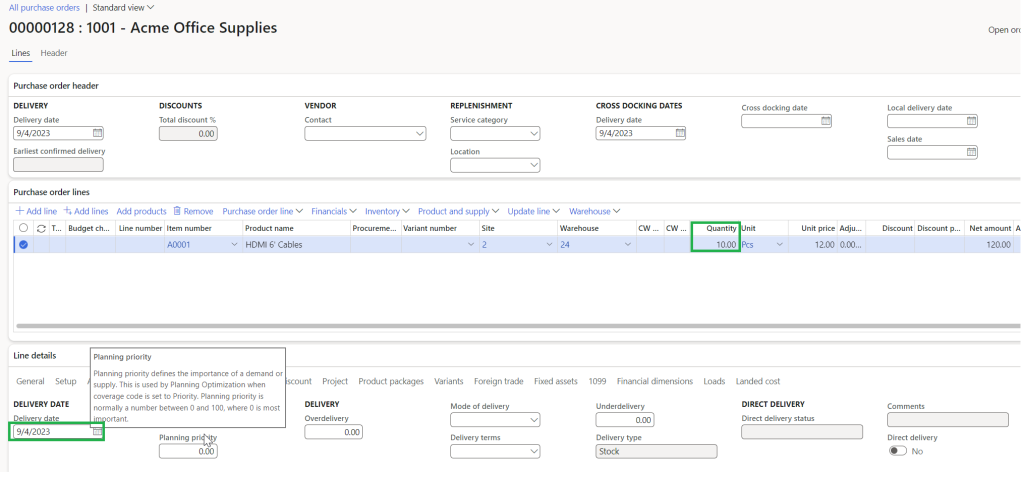
Also make sure you have added a contact record in the PO header. This step is useful when sending the email and teams message.

4. Confirm the Purchase Order and then Check the confirmed purchase orders with changes workspace.

You could see that there is no change here in the workspace.

5. Change the delivery date and quantity in the purchase order as shown below.

6. Check the workspace called confirmed purchase orders with changes again. Now you can see there is the same Purchase Order which we have created appear and you can see the changed fields shown in bold color as shown below.
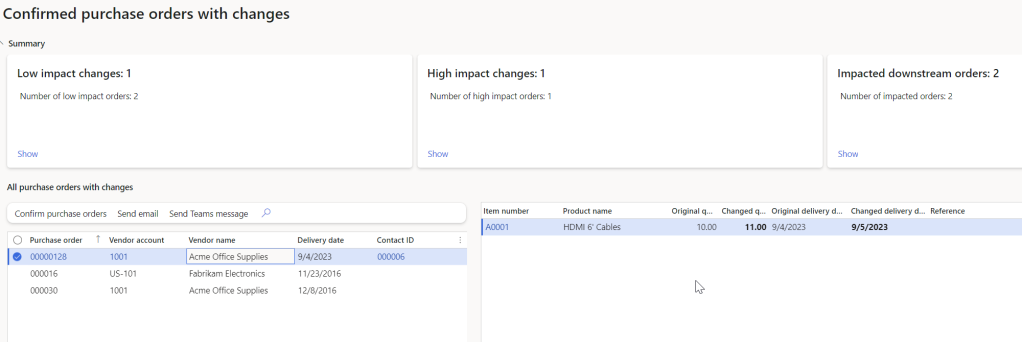
To show all purchase orders with changes click “Show all orders”.
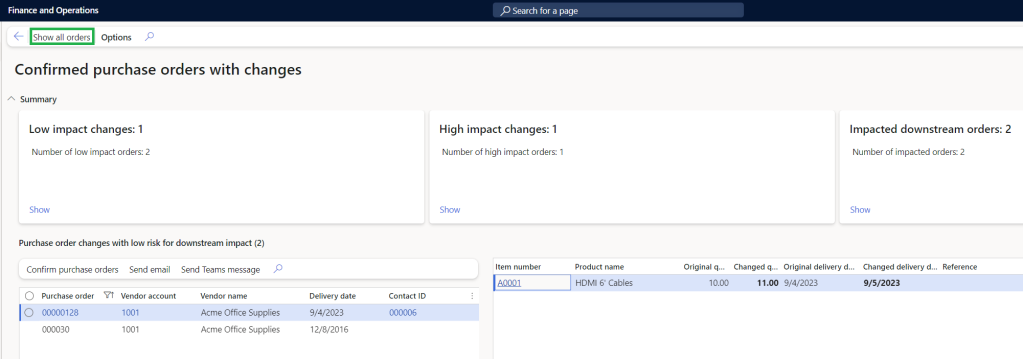
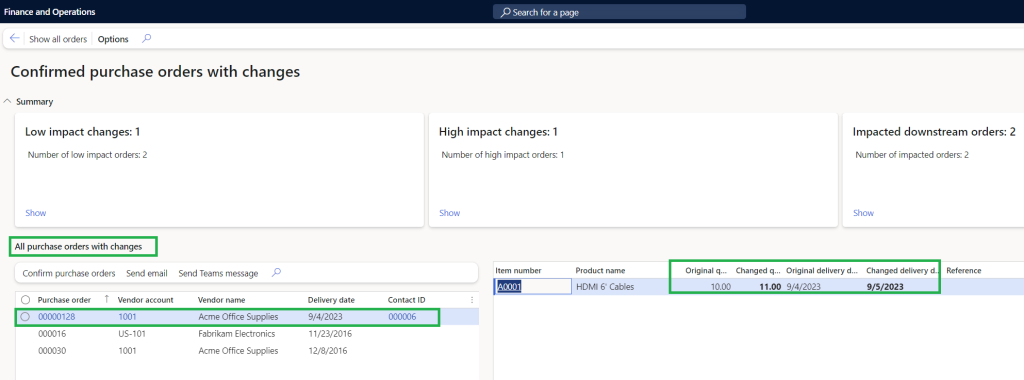
As per current preview feature we could see it track the below list of field changes.

Thanks for reading this blog post. Will meet you again with the next post.

 d365bits.com
One thought on “How to use workspace confirmed purchase orders with changes (Preview) ?”