
In some circumstances, even if you aren’t using a D365 FO quality management feature for a particular vendor or item. Also the business might not use the quality management function to initiate a quality order during the product receipt process.
In this scenario, if there is a problem with the product while receiving the product, you may wish to talk to the vendor until you find a suitable solution, such as replacing the product, lowering the price, selling it, or taking other action. The company must take care of avoiding these products from being sold to a customer until these discussions are ongoing and until the vendor and business have agreed on the next step of action to address the problematic products.
Make sure below setups are done. Item has enabled the use warehouse management parameters for storage dimension. Select a warehouse which is not enabled for the advanced warehouse processes. Also Inventory statuses are created.


Let’s assume USMF uses both advanced and basic warehouses and the scenario here that there are 10 Items of A0001 received at the basic warehouse 21 but only 8 quantities that you can sell but the rest is unable until discuss with the vendor what actions to be done for that. So therefore you would need to block the inventory for the 2 quantities and receive the rest of the 8 quantities.
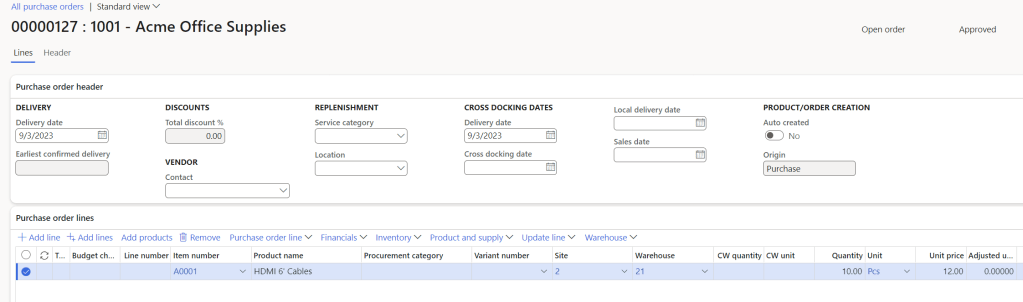
- Create a Purchase Order and confirm.
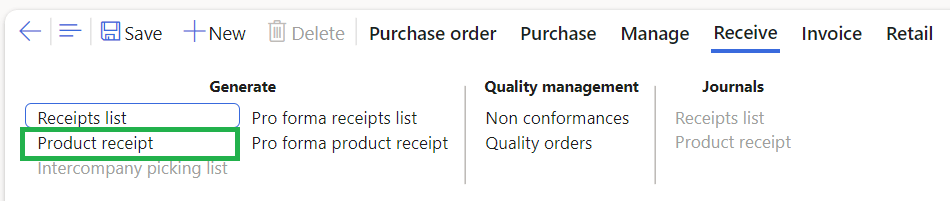
2. Click Product Receipt and then enter the product receipt number and then click registration.

3. Click split and enter the quantity as 8 and click ok.
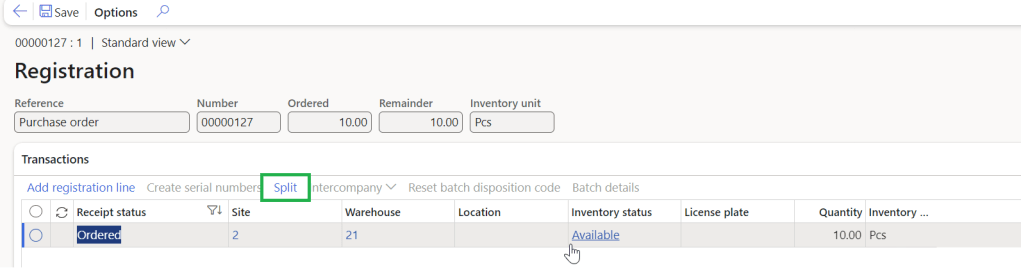

Two lines created as below.

4. Add registration line and make sure the inventory status is available.

5. Add the other line as well and make sure select Blocking under inventory status.
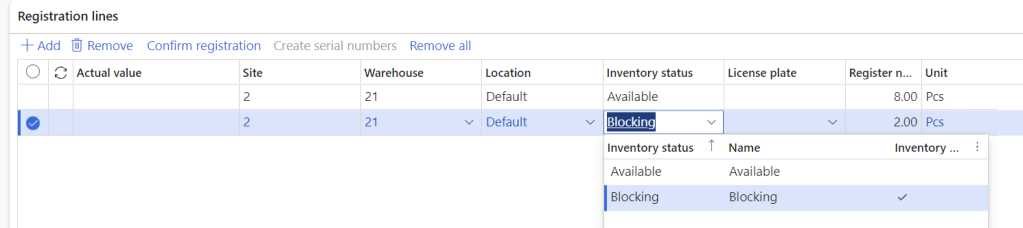
Note : Blocking value is enabled for the Inventory blocking and this will make sure that 2 qty cannot be used to sell until the status change back to available.
5. Click Confirm registration


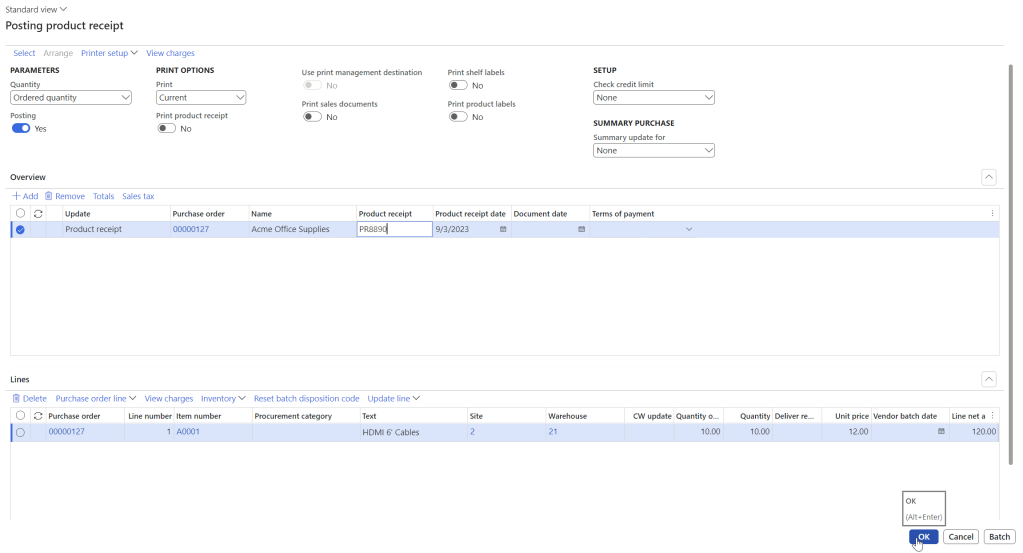
6. Post the product receipt.
7. When you check the Inventory transactions you could see that the the 2 quantity is blocked and also there is a inventory blocking transaction created and then inventory is reserved physical.

Thanks for reading this blog post. Will meet you again with the next post.

 d365bits.com